Posted on Leave a comment

BrainBoxes GPIB: A Rare IEEE-488 Cartridge for the Commodore 64 & 128

Among the many expansion cartridges produced for the Commodore 64 and 128, IEEE-488 (GPIB) interfaces are some of the most rare. Designed to bridge Commodore’s hugely popular home computers with the professional-grade parallel bus used by PET machines and instruments, these cartridges occupied a niche market even in the early 1980s.

One of the more rare examples is the BrainBoxes GPIB cartridge. I found it one one of the websites with a lot of unrecognized stuff as HP computer cartridge 🙂 .Documentation is extremely scarce: most references found online describe a bit different BrainBoxes IEEE-488 product that uses a cartridge-like adapter connected to an external IEEE-488 interface. This board, however, is almost certainly the same design internally—just integrated directly into a single cartridge form factor.

One of the ideas will be a full recreation in KiCad, preserving this rare hardware in an open, reproducible form. Hoping to release everything on Githab soon.

Why IEEE-488 on a C64 or C128?

IEEE-488 (also known as GPIB) was widely used on Commodore PET computers and peripherals such as the 2031 series floppy drives. Later Commodore 8-bit machines switched to the slower IEC serial bus, making IEEE-488 peripherals incompatible without an adapter.

For anyone restoring or using PET-era devices – especially disk drives – the ability to connect them directly to a Commodore 64 or 128 is invaluable. This is exactly the problem solved by cartridges like the BrainBoxes GPIB.


Hardware Overview

The BrainBoxes cartridge is a straightforward but elegant design. What immediately stands out is how closely it mirrors the architecture of later IEEE-488 adapters, such as the IEC64 –with one major difference.

Core Chipset

The chipset is almost the same as on the IEC64, but instead of driving the IEEE-488 bus directly via a PIA, the BrainBoxes cartridge uses classic 75xxx IEEE-488 transceiver ICs:

  • SN75160 – IEEE-488 talker/listener bus transceiver
  • SN75161 – IEEE-488 controller transceiver
  • ROM (EPROM) – Contains the cartridge firmware
  • 74-series logic ICs – Address decoding, control logic, and signal conditioning
  • Passive components – Pull-ups, termination, and basic signal stability

This approach is much closer to traditional IEEE-488 interface designs and aligns well with how Commodore implemented GPIB in PET machines and drives.

Notice the switch for Commodore 64 and Commodore 128 ! 🙂

Design Philosophy

Using SN7516x series drivers offloads the electrical and timing requirements of the IEEE-488 bus from the CPU, making the cartridge robust and electrically compliant. While this increases chip count compared to a PIA-based solution, it results in a very “correct” GPIB implementation.

Unfortunately, SN7416X are now very rare. 5 years ago I tried to assemble PetSD device


Relationship to the IEC64 / IEC64W

If you’re interested in this topic, there is an excellent and very well-written article worth reading:

https://retrorepairsandrefurbs.com/2022/06/27/iec64w-ieee-488-parallel-interface-adapters-for-the-commodore-64-128/

That article documents the IEC64W, an adapter distributed by several German companies and since reverse-engineered and released as open hardware. While the IEC64W uses a 6821 PIA to drive the bus directly, the BrainBoxes cartridge achieves the same goal using dedicated IEEE-488 transceiver ICs instead.

Functionally, both devices solve the same problem:

  • Allowing PET-style IEEE-488 peripherals
  • To be used on Commodore 64 and 128 systems
  • Via the cartridge port, with minimal user intervention

From an engineering standpoint, the BrainBoxes design feels more “old-school GPIB,” while the IEC64W reflects a later trend toward higher integration.


Why This Cartridge Matters

The BrainBoxes GPIB cartridge is a reminder that the Commodore ecosystem was far broader than most people realize. It bridges the gap between home computing and laboratory-grade instrumentation, and it shows how third-party vendors adapted professional standards for consumer hardware.

By preserving the ROM and recreating the PCB, this cartridge can move from obscurity back into practical use -exactly where it belongs.

If you’re restoring a Commodore 2031-LP, experimenting with IEEE-488 instruments, or simply fascinated by rare expansion hardware, the BrainBoxes GPIB is a small but significant piece of retro-computing history.

Yours,

PHOL-LABS CEO

Posted on Leave a comment

Introducing the New product – Pi1541-III USB-C: A Modern Take on Pi-1541-III

Retro computing enthusiasts know the struggle—finding the right peripherals to keep their Commodore 64 experience authentic while adapting to modern power solutions. That’s why we developed the Pi1541-III USB-C, a brand-new, improved version of the Pi1541-III by tebl (https://github.com/tebl/C64-Pi1541-III).

Testing new units

Why I Designed This Enhanced Version

While working with the original Pi1541-III, I noticed a common issue: powering the Raspberry Pi efficiently. Many users rely on USB-C power adapters for their devices, but the original design primarily used a 5.5mm barrel jack for +5V power. Good quality barrel power supplies are often expensive, whereas most people already have a reliable USB-C charger at home. So, I made the decision to add USB-C support while keeping the original barrel jack for flexibility.

Developed in KiCAD: Precision and Quality

The Pi1541-III USB-C main board was entirely redesigned using KiCAD, an open-source PCB design tool. I wanted a compact, efficient, and well-optimized circuit that would be easy to assemble while maintaining the best compatibility with Raspberry Pi 3 and 4. Most of the components are SMD factory-assembled, ensuring a reliable build and reducing the effort needed for manual soldering.

Pi1541-III USB-C PCB

Key Features That Make a Difference

Pi1541-II USB-C bottom
USB-C connector and IEC, 5.5 power connector
  • Dual Power Options – Use USB-C or 5.5mm barrel jack for +5V power.
  • Plug & Play Design – Most components pre-assembled for convenience.
  • True Drive Emulation – Provides accurate cycle timing for better compatibility.
  • OLED Display & Encoder Controls – Easily browse and load disk images.
  • Supports SD Cards & USB Storage – Play your favorite C64 games effortlessly.
  • Includes an IEC Cable – No need for extra purchases.

Get Yours Today!

Pi1541
Assembled unit

The Pi1541-III USB-C is a brand-new product designed to enhance your Commodore 64 experience. If you’re looking for a reliable, modern, and easy-to-use drive emulator, this is it!

Order yours now and enjoy seamless retro gaming!

Link to the product:

(Raspberry Pi not included.)

Posted on Leave a comment

Macrosystem Vlab GAL dump

Thanks to Matze’s Galdurino (https://gitlab.com/MHeinrichs/galdurino) project I was able to dump one of GAL16V8 ICs in Macrosystem Vlab video digitizer

Galdurino and Macrosystem VLab

Before that, I connected it to my Amiga 2000 and used it to dump the picture from “composite” from A2000.

It worked OK with PiStorm(see picture)

VLab software

Here you can check Zorro II id’s of VLab:

Zorro Ids

I was able to dump Lattice GAL16V8 by applying 17V on pin 2, however STs GAL16V8S were not able to be dumped. There were other boards with the same chips by Lattice. I’ll try to take one.

And here is a dump:

https://disk.yandex.ru/d/21Gx7jowB7cb4w
Posted on Leave a comment

Firmware update of IV-Indicators temperature sensor

First indicators were sent with limited indication on temperature channel.

Start from connecting of indicator USB flasher according to pictures:

Please be careful as programmer can be inserted incorrectly. USB socket should be on outer side.

Next, connect programmer using USB Type-C cable to your computer (newer smartphones cables fit well)

It should be recognized as COM serial port in Windows or serial device in Linux.

Flashing is done from a Chrome browser with serial port support.

To access flashing page, go to:

https://phol-labs.com/iv

To access flasher.

Here, press select port and select appropriate serial port.

Now go to settings and check if Access Modbus setting is unchecked:

And select 115200 baud rate, if any other is selected.

Now press connect and then, press Full erase flash,

Then click “Open file” and select the firmware supplied along with this file, and press Flash. After that, device is ready for use.

Posted on Leave a comment

IV-Indicators instructions

Abstract

IV-Indicators innovative gauge offers a multitude of functions, ensuring you stay informed about crucial vehicle metrics while adding a touch of modern sophistication to your interior, and preserving retro-tech look. The killer feature of this device is that it can be configured using Android phone to fit your own sensors.

Device is shipped in 4 options:

  • IV-Indicators gauge 3xPack (all 3 indicators in one package)
  • IV-Indicators Voltmeter
  • IV-Indicators Barometer
  • IV-Indicators Thermometer

Upgrade your Golf or Jetta 2 with this versatile IV-Indicators Button Gauge, a must-have accessory for car enthusiast. This innovative gauge offers a multitude of functions, ensuring you stay informed about crucial vehicle metrics while adding a touch of modern sophistication to your interior,and preserving retro-tech look.

Package contents

Package includes:

  • Button-gauge(-s)
  • Socket for connection
  • Programming tool

Functional description

Equipped with default options to function as a voltmeter, oil pressure sensor, or temperature sensor, this gauge adapts to your specific monitoring needs with ease. Whether you’re keeping an eye on your vehicle’s electrical system, oil pressure, or engine temperature, this gauge has you covered.

What sets this gauge apart is its junction of retro and new technologies. Included with the gauge is a programmer that allows for easy configuration via your Android phone or computer using USB cable. With the ability to adjust the color of segments and backlighting, you can customize the gauge to match your vehicle’s interior or personal style effortlessly.

Not only does this gauge offer versatility and customization, but it also boasts calibration capabilities, allowing you to sync it with other sensors for precise and accurate readings. Say goodbye to guesswork and hello to confidence on the road.

Upgrade your driving experience with the Golf/Jetta 2 IV-Indicators Button Gauge and enjoy unparalleled functionality, style, and convenience.

Device is intended to be working with VAG pressure sensor p.No 03C906051A and temperature sensor Ossca 01176 or compatible for Golf 2.

Connection diagrams

IV-Conf Android pack

IV-Indicators are shipped with external programmer, which is connected as follows:

Use Type-C USB cable to connect it to your Android phone via USB-OTG. If your phone is not equipped with Type-C socket, you can use USB Hub and USB-A-USB-Type C cable.

App is in beta testing stage and is provided directly with shipped indicators.

Instructions:

Connect USB flasher to your phone and open App. Confirm and grant USB permissions to the app.

Press USB connect and wait until Connected text

On top of the app press 3 bars icon and go to Settings. Select some preset from the settings and press “Set parameters”, wait until transmission. You can also modify the settings according to your needs.

To set Dot mode, set checkbox, if use bar, leave it unpressed.

To set backlight and intensity, use the widget on the bottom of the page

To set gradient colors, select style to Gradient (default one), to select 4 color segments, select 4 segments and choose appropriate segments colors and position.

Please take in account that the app is in beta stage and will be constantly improved.

Posted on Leave a comment

Orders and website update

Website was updated and is now on .com zone.

The item number was re-stocked according to real stock. Many items were moved to “Old products”, consider contacting us if you need some of them.

The new revision of Digifiz Replica is still in development, old revision is currently(April 2024) out of stock.

A new revision of Digifiz is coming this summer.

For now take a look on our new product – multifunctional and multicolor gauges for Golf 2/Jetta 2 😀

IV-Indicators

Posted on Leave a comment

UVGEN Amiga Genlock Engineering

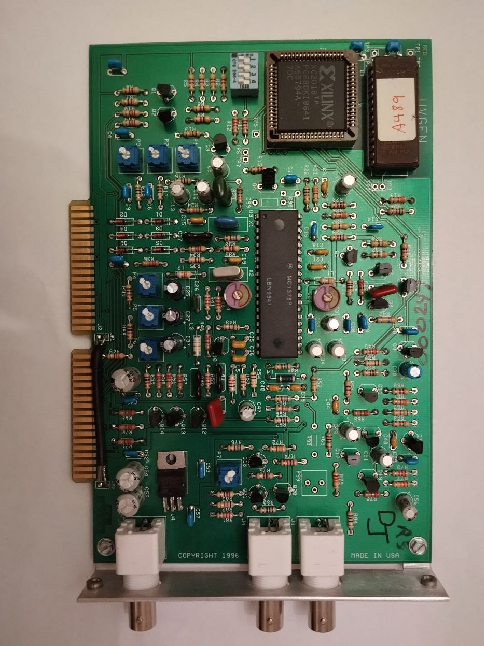
I bought this device on eBay and decided to make a replica of it.

UVGEN Genlock for Amiga

An internal genlock for the Amiga which plugs into the video slot (OCS/ECS style). This genlock appears to have been developed for use with the A2000 clone called the Sneak Prevue, a system for broadcasting programming information. The genlock was used to supply video from the Laser Disc Player. (https://bigbookofamigahardware.com/bboah/Product.aspx?id=440)

I bought this device on eBay and decided to make a replica of it. I did not found any other open source genlocks for Amiga so it would be nice to have something in this niche. 

First of all, WARNINGS:

KiCAD UVGen genlock

1) The project is completely untested. I plugged in the original card, but it is not a correct test. This project may not work at all, because there are many copper traces. 

2) UVGEN Genlock works on A2000 NTSC machines only, you need to modify circuit for PAL(and I am not sure it is possible to do that)

3) FPGA onboard has its own ROM and it was dumped. EEPROM dump is provided only for home and non-commercial usage. If you want to sell this – write your own ROM for XC2018. 

4) Of course, I am not responsible for any loss, damage, or other things caused by this project to your expensive Amiga desktop. 

5) If you successfully managed to start up this card – please tell me, if I need to do any changes in the project files. Your help will be much appreciated.

6) Inductor values should be inspired from the datasheet

UVGEN genlock consists of video overlay IC MC1378P. See its datasheet: https://pdf1.alldatasheet.com/datasheet-pdf/download/168761/MOTOROLA/MC1378P.html

This IC is controlled by FPGA with OEM ROM which makes all the necessary signals. There are also 4 switches(and thus 16 modes) of Genlock. I do not know how it works. From what I’ve seen on a screen – it chooses signals from Amiga for gen-locking and overlaying. 

HOW IT WAS USED:

UVGen connection

– To add Teletext to videos + some effects

– To add captions and credits list

– To make music videos

Original UVGEN Genlock was used for Sneak Prevue TV broadcasting system.

IDEAS ON HOW TO USE IT:

1) Make retro wave videos using composite Amiga video and other video source

2) Make original and 90s-like video clips for music

3) Output composite video from new Amiga 2000s, Amiga 2000 EATX (from jasonbeer, my respect)

I’ll share the original files within several months but first I want some orders to appear from PCBWay to generate some income from my work. Next, I’ll share original schematics and board files too. Please support my work. 

I also plan to make a small SMD-based board with the same functions.

Source and ROMs:

https://github.com/Sgw32/UVGEN_Genlock_Replica
Posted on Leave a comment

Manufacturer info page for Digifiz Replica v1-v2.5 for VW mk2

This post will be extended and improved while there is more info

As we sold many Digifiz Replica units on behalf of Duplux Production (https://www.instagram.com/duplux_production/) there are many common questions and corresponding answers should be. There will be some more info regarding the device.

As a Russian development, the original page of Digifiz Replica is on the Russian social network VK, here:

https://vk.com/digifiz

Also, I’ve created a Telegram page of Digifiz Replica some time ago:

https://t.me/digifiz

Currently, here is an official Manual for Digifiz Replica on English:

https://disk.yandex.ru/d/JSVqGUKjwCQQrQ

Posted on Leave a comment

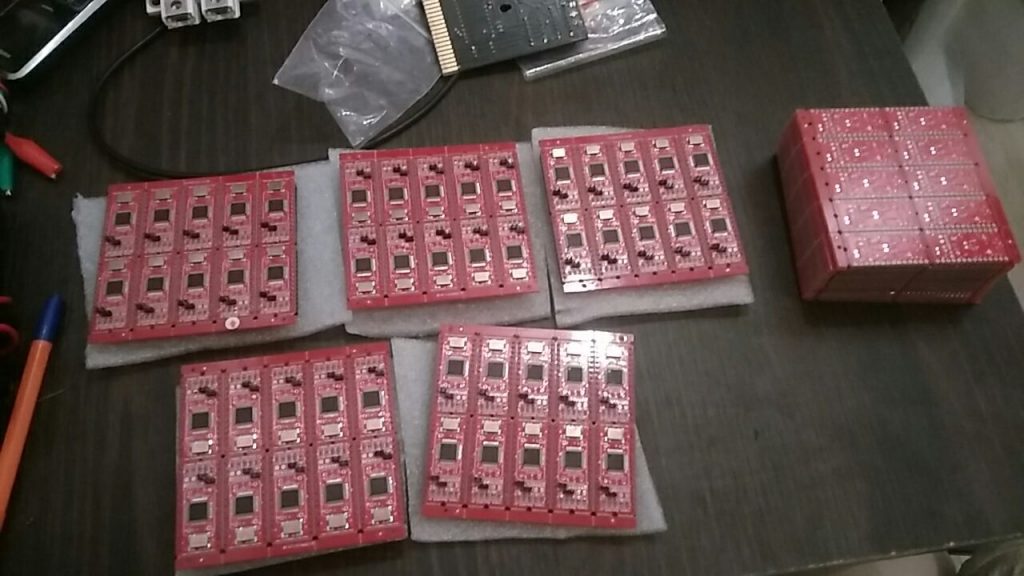
UltiSID is released

UltiSID is released publicly and is now tested:
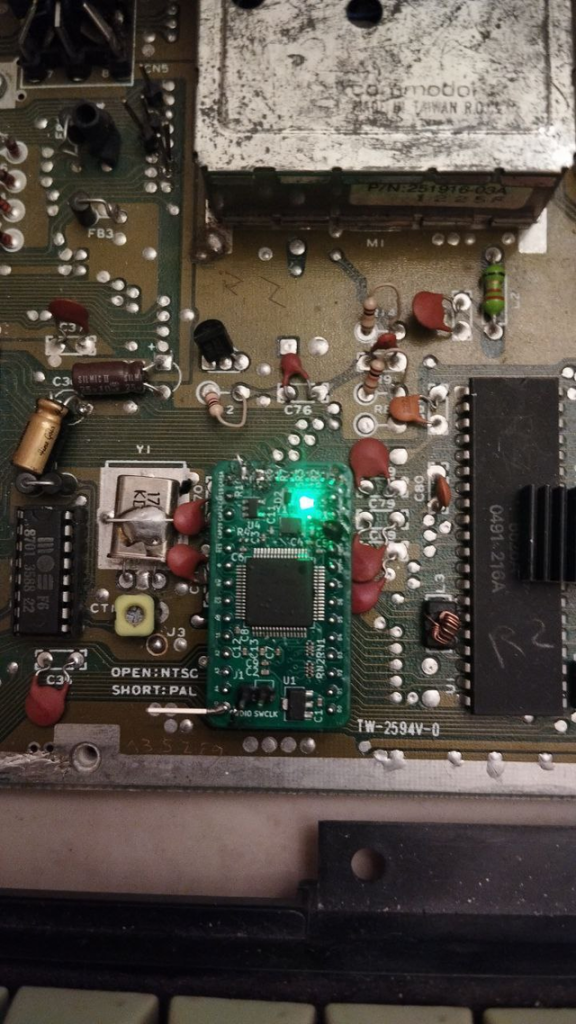
UltiSID while testing

https://github.com/Sgw32/UltiSID

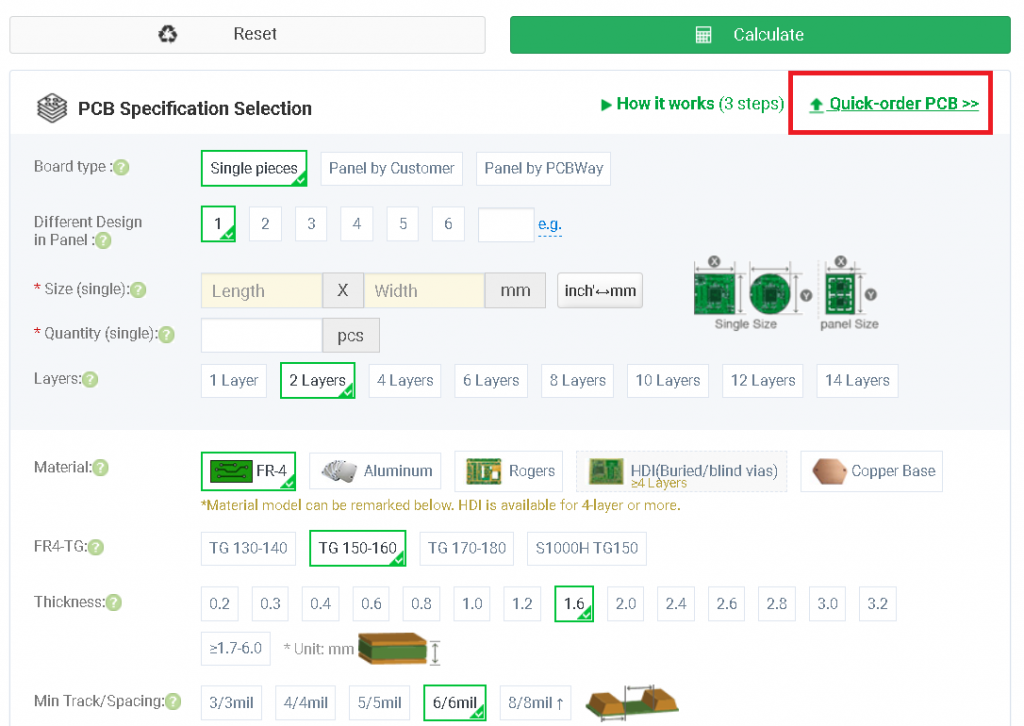
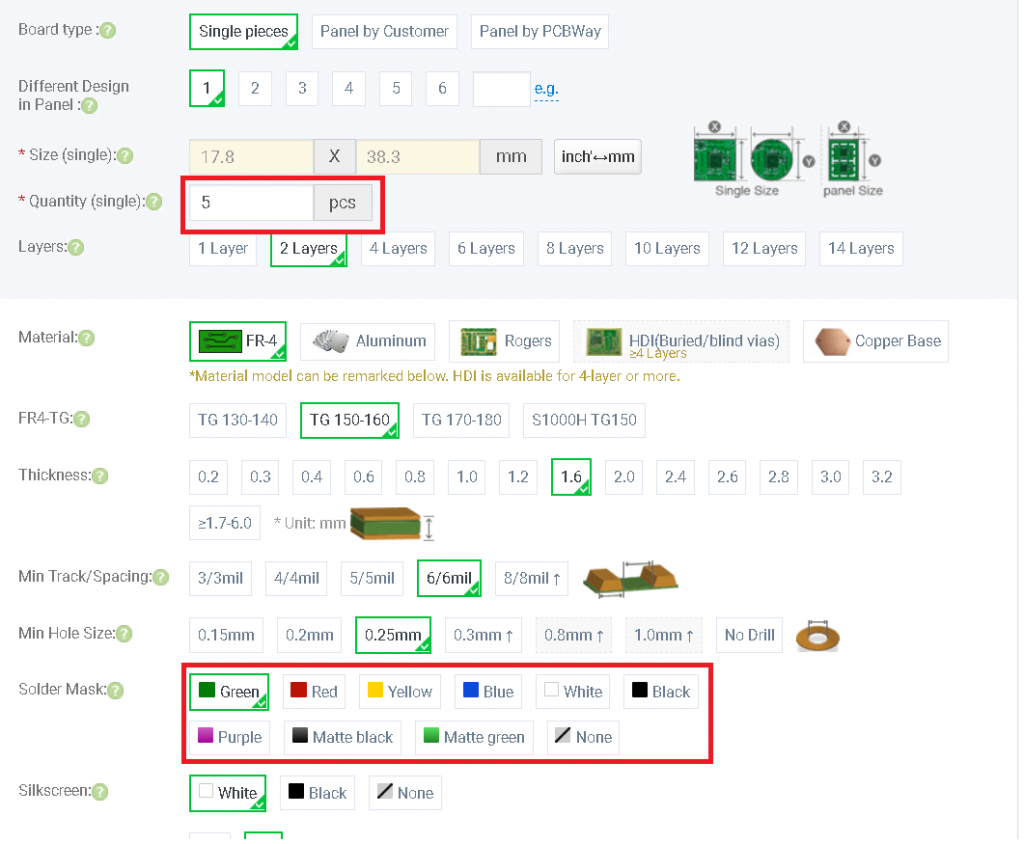
You can also order PCBs almost assembled using JLCPCB order files provided in the repository.
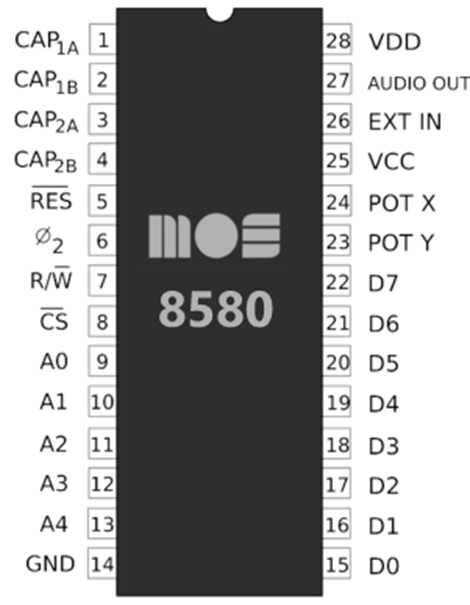
New UltiSID is highly inspired by Kung Fu Flash – and commonly, it is a Kung Fu Flash with a special firmware(Kung Fu SID, included as a submodule)

Video:

https://youtube.com/shorts/YMMjhMZqSjQ?feature=share – small video of new hardware and software working on a real C64.

By the way, I have 4 extra chips and I can send/sell them somewhere if someone wants to check them out.
As it was declared initially, UltiSID is completely free and open-source even for commercial purposes (GPLv3 license)
I will be happy if someone will improve the project or add some new functions to it. It still lacks paddles, but new hardware supports it.
As well, there is an OpAmp on output cascade, and output is completely generated by DAC, not PWM as on SwinSID – which ensures smooth and good generation of sound. I still need some optimization of code.

There are no hard flaws as it was before on the previous revision of the hardware. It processes data and it is possible to read it back, it works stable.

I would also be happy for any donation:
PayPal is unfortunately banned in Russia, as Russia resident I am unable to use it, even if I’m not in Russia actually(as it is)
0xeDc17cb23241eACe19DF3617291aa7d2d92E62DC – USDT/ETH ERC20
TKSPmVWoCgQky8umDUcR7oivJKNzAXueSB – USDT TRC20
0x77c411fdedc72b034432571ae9aee10330b72d6c – USDT BSC20
https://www.cgtrader.com/u2606411 – or buy something here(my 3d models of C64 for 3d printing)